Home Server Custom PC Build
Custom Home Server PCs Built for NAS Storage, Media Streaming, Backups, Virtualization, and 24/7 Reliability.
A home server should be quiet, efficient, expandable, and dependable. It should store your files safely, stream media smoothly, run self-hosted apps, handle backups, and stay stable for long 24/7 operation.
At M Machine Build, we build custom home server PCs in Mumbai for families, creators, photographers, small offices, home labs, developers, media collectors, and users who want private storage and local control.
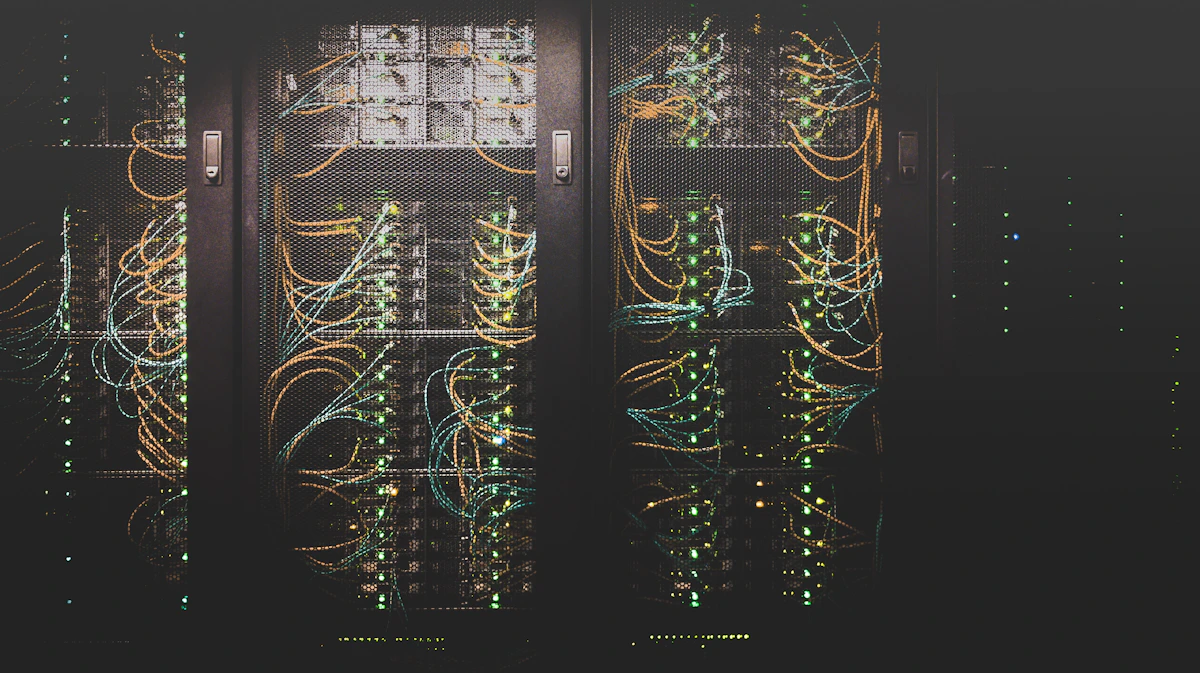
A home server is more than a normal desktop with extra hard drives. It may run as a NAS, media server, backup machine, private cloud, Docker host, Proxmox server, TrueNAS system, Jellyfin or Plex server, file sharing system, camera recording storage, development lab, or small office data hub. Because it may stay powered on all day, the build needs careful planning.
Unlike a gaming PC, a home server is usually designed for storage reliability, low power consumption, quiet cooling, drive expansion, network performance, data safety, remote access, and long-term maintenance. The right build depends on your storage capacity, number of users, media streaming needs, backup strategy, virtualization plans, and future upgrade path.
 Home Server Storage
 Custom Server PC
 Home Lab & Self-Hosting
Why Build a Custom Home Server?
A custom home server gives you local control over your data. Instead of depending only on cloud storage subscriptions, you can keep files, photos, videos, backups, media libraries, and private applications on your own hardware. This is useful for families, creators, photographers, videographers, small businesses, developers, and anyone who wants more control over storage and privacy.
A ready-made NAS can be convenient, but a custom home server can offer more flexibility. You can choose the processor, memory, number of drives, case size, networking, cooling, operating system, virtualization platform, and upgrade path. A custom build can be planned for TrueNAS, Unraid, Proxmox, Windows Server, Linux, Docker, Plex, Jellyfin, Nextcloud, Home Assistant, Syncthing, and other self-hosted tools.
The goal is not only storage capacity. The goal is dependable access, sensible backup planning, clean drive layout, low noise, efficient power usage, and hardware that can grow with your needs.
Home Server Builds by Use Case
Every home server is different. Some users want a simple backup server. Some want a movie library. Some want a private cloud. Some want a home lab for learning Linux, networking, cybersecurity, Docker, Kubernetes, or virtualization. Some creators need fast local storage for photo and video projects.
- NAS storage server
- Plex media server
- Jellyfin media server
- TrueNAS custom server
- Unraid home server
- Proxmox virtualization server
- Docker self-hosting server
- Home Assistant server
Important Components in a Home Server PC
A home server should be planned as a complete system. Storage capacity is important, but reliability depends on the case, motherboard, RAM, drives, power supply, cooling, networking, and operating system compatibility.
Processor for Server Tasks
The CPU depends on your workload. A simple NAS can use an efficient processor. A Plex server with transcoding, Proxmox host, Docker machine, or multi-user home lab may need more cores and stronger performance. Intel Quick Sync can be useful for some media transcoding workflows, while higher core-count CPUs can help virtualization and containers.
RAM and ECC Planning
RAM matters for file services, ZFS, virtual machines, containers, databases, and caching. 16GB can work for simple storage, 32GB is a stronger starting point, and 64GB or more is useful for virtualization or heavy self-hosting. For data-focused systems, ECC memory support can be considered when platform compatibility and budget allow.
Storage Drives and Expansion
Home servers need careful drive planning. We consider number of drive bays, SATA ports, M.2 slots, HBA cards, SSD cache, HDD capacity, future expansion, hot-swap needs, and whether the server should use RAID, ZFS, mirror, parity, or a simple backup layout.
Network Performance
For file transfers, backups, and media streaming, networking matters. A basic server can use 1GbE, while creators and small offices may benefit from 2.5GbE, 10GbE, or a planned wired network. We can help choose motherboard networking and expansion options.
Cooling for 24/7 Operation
Hard drives need airflow. SSDs need cooling. CPUs need stable temperatures. A home server should not overheat in a cabinet or corner. We plan quiet fans, airflow path, dust management, and clean cable routing for long uptime.
Power Supply and UPS
A reliable power supply is essential for a server that may stay on all day. UPS planning is also important to protect against power cuts, unsafe shutdowns, and data corruption. We can help size the build for efficient power draw and backup power compatibility.
Custom NAS vs Ready-Made NAS
A ready-made NAS is easy to start with, but a custom NAS server can provide more hardware flexibility, better upgrade options, more CPU power, more memory, more drive support, stronger networking, and more software control. If you want TrueNAS, Unraid, Proxmox, Docker, or a mixed server workflow, a custom PC build can make more sense.
A custom NAS can be designed for your exact storage requirement. For example, a photographer may need high-capacity photo backup and fast previews. A video editor may need large footage storage and 10GbE networking. A family may need private photo storage and phone backups. A developer may need VMs, Git services, databases, and containers. A media user may need Plex or Jellyfin streaming with transcoding support.
- More flexible hardware selection
- Better CPU and RAM options
- More storage expansion choices
- Better networking upgrade path
- Choice of TrueNAS, Unraid, Proxmox, Linux, or Windows
- Can combine NAS, media, backup, and lab workloads
Our Home Server Building Process
At M Machine Build, every home server starts with understanding your storage, users, software, and uptime expectations. We do not recommend one generic server to everyone.
Requirement Consultation
We discuss your storage capacity, number of users, media streaming needs, backup plan, virtualization needs, operating system preference, budget, physical space, and future upgrade plans.
Hardware Selection
We select the CPU, motherboard, RAM, drives, SSDs, cabinet, cooling, network card, HBA card if required, and power supply based on the real server workload.
Professional Assembly
The server is assembled with clean cable routing, airflow planning, secure drive installation, proper cooler mounting, component inspection, and static-safe handling.
BIOS and Storage Setup
We configure boot settings, memory settings, fan curves, storage mode, firmware updates, network settings, and stability options so the system is ready for server software installation.
Thermal and Stability Testing
We test CPU load, memory stability, SSD performance, drive temperatures, airflow, and overall system stability. A home server should be dependable before it stores important data.
Ready for Deployment
The final system is prepared for NAS storage, media streaming, backups, virtualization, Docker, self-hosting, and home lab use depending on your plan.
Need a Custom Home Server Built in Mumbai?
Share your storage capacity, number of drives, media streaming needs, backup plan, software preference, budget, and upgrade goals. M Machine Build can help you plan a reliable home server that fits your space and workflow.
Start Your Home Server ConsultationSEO Focus: Home Server Custom PC Builder in Mumbai
If you are searching for a home server builder in Mumbai, custom NAS PC, Plex server build, Jellyfin server PC, TrueNAS server, Unraid server, Proxmox home lab, Docker server, backup server, or private cloud storage PC, the most important thing is to choose hardware around your actual use case.
M Machine Build focuses on storage planning, reliability, quiet cooling, low power usage, drive expansion, network performance, UPS compatibility, and future upgrade value. Whether you need a simple family backup server or a powerful home lab workstation, the build should be planned carefully.
Frequently Asked Questions
What is a home server used for?
A home server can be used for NAS storage, backups, media streaming, private cloud storage, Docker apps, Proxmox virtual machines, home automation, file sharing, camera storage, and home lab learning.
Is a custom NAS better than a ready-made NAS?
A ready-made NAS is simpler, but a custom NAS can offer better CPU options, more RAM, more drive expansion, stronger networking, and more software flexibility with TrueNAS, Unraid, Proxmox, Linux, or Windows.
How much RAM does a home server need?
16GB can work for simple file storage. 32GB is a strong starting point for NAS plus apps. 64GB or more is useful for virtualization, containers, ZFS-heavy workflows, databases, or multiple users.
Can a home server run Plex or Jellyfin?
Yes. A properly planned home server can run Plex or Jellyfin for local media streaming. If transcoding is required, CPU and GPU capabilities should be selected carefully.
Do I need 10GbE networking?
Not always. 1GbE is enough for basic file sharing and media streaming. 2.5GbE or 10GbE can help creators, video editors, small offices, and users who move large files often.
Can a home server run 24/7?
Yes, if it is built with reliable hardware, efficient power supply, proper cooling, stable drives, dust control, and UPS planning. A 24/7 server should be designed differently from a casual desktop.